
Documents and currency
AI reads licences and medicals
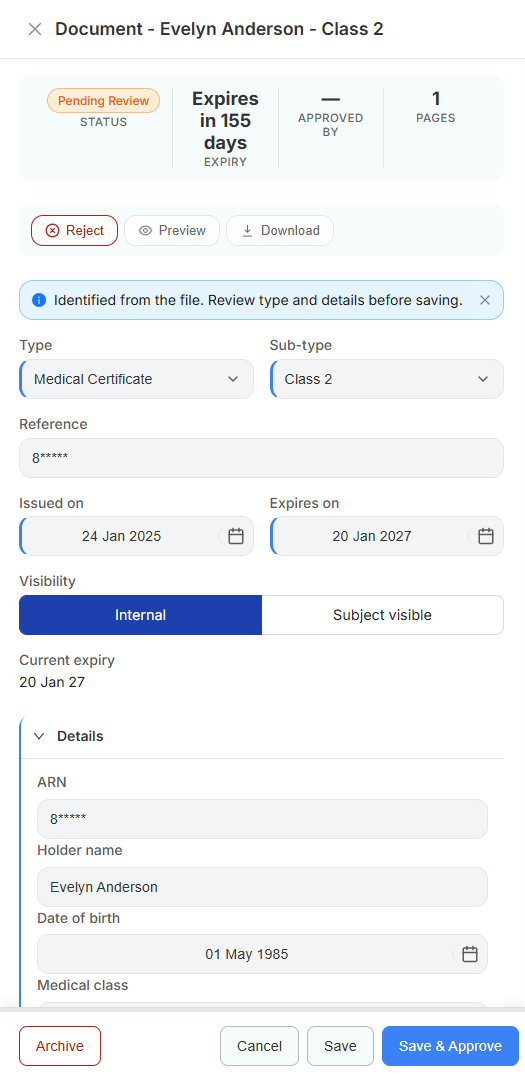
Chasing paperwork is the least enjoyable part of running a school. Upload a CASA Part 61 licence or a CASA medical certificate and the system identifies what it is, pulls out the holder name, ARN, date of birth, medical class, issue date, and expiry, and presents it for a human to check before saving. You approve or reject - the AI never files anything on its own.
Understands CASA licences and medicals specifically
What you get
- Automatic identification of CASA Part 61 licences and CASA MRS medical certificates
- Extracts holder name, ARN, date of birth, class or sub-type, issued date, and expiry
- Every extraction lands in Pending Review - a person approves before it counts
- Reject with a reason, and the student is asked again
- Internal or subject-visible visibility per document
- Full event trail of who uploaded, extracted, and approved
How it works
-
Student uploads
From the portal, the mobile app, or the front desk.
-
AI identifies and extracts
Document type, sub-type, reference, and dates are read from the file.
-
Staff review
The extracted fields appear pre-filled with a review prompt - correct anything that looks off.
-
Approve
Saving grants the matching capability and starts the expiry countdown.
A closer look
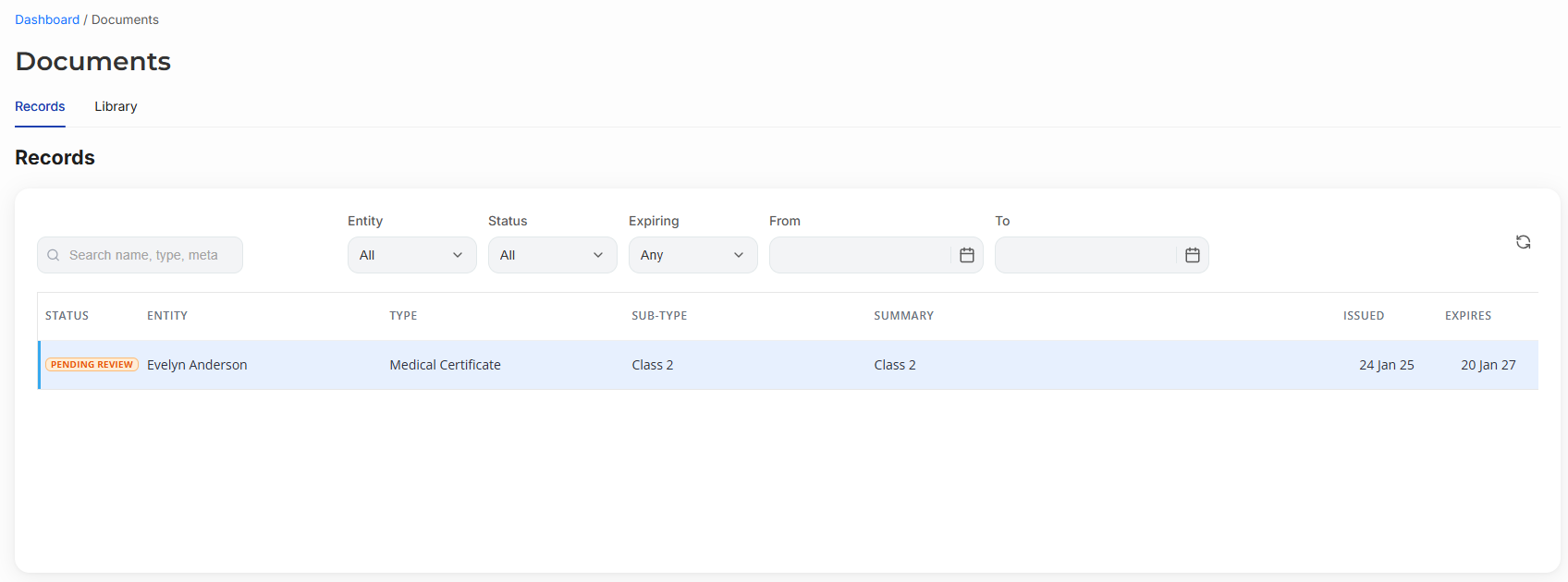
The records list is the review queue - filter by status, expiry window, or entity.
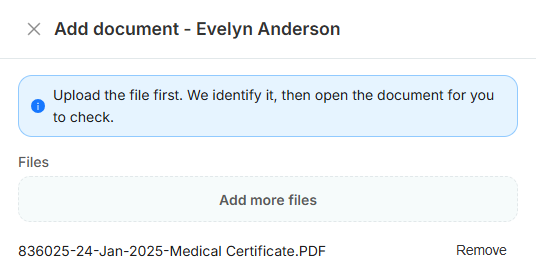
Upload the file first. We identify it, then open the document for you to check.
Related
Expiry tracking and reminders
Medicals, flight reviews, and ASIC cards count down, and reminders go out before they lapse.
Maintenance and rating guards
Bookings are refused when the aircraft is due for maintenance or the instructor is not rated on the category.
Student portal
A branded site where students book lessons, buy packages, pay, and upload their paperwork.
See it with your own aircraft and syllabus
Start a free trial and your CASA training programs, lesson catalogue, and aircraft are ready to go. No card required.