
Flight line operations
Aircraft and instructor scheduling
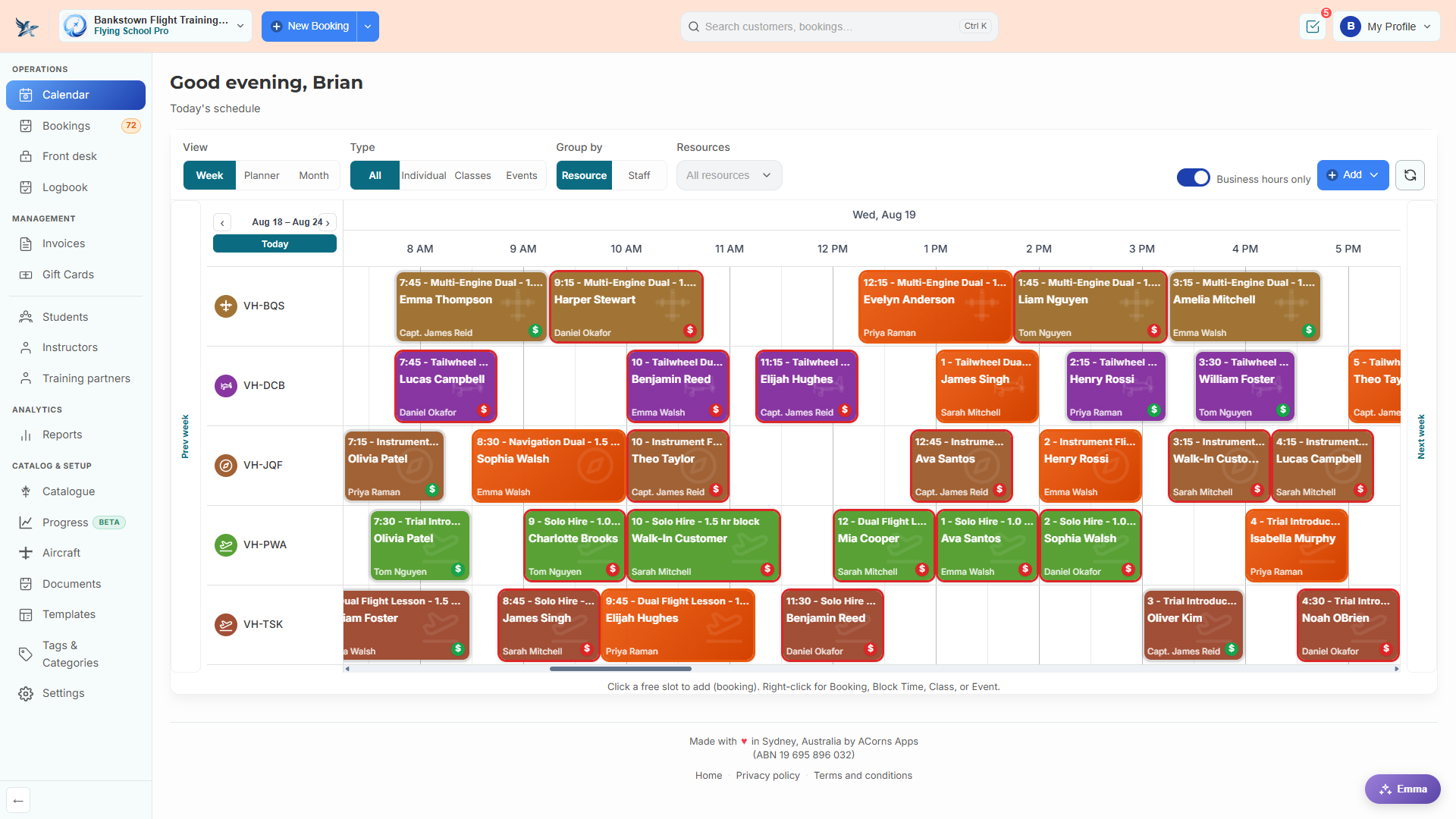
The schedule is the flight school. Flying School gives you a resource calendar where each row is an aircraft, each booking carries its student and instructor, and the busy-time strips under the picker show you exactly where the gaps are before you commit to a slot.
What you get
- Week, planner, and month views, grouped by aircraft or by instructor
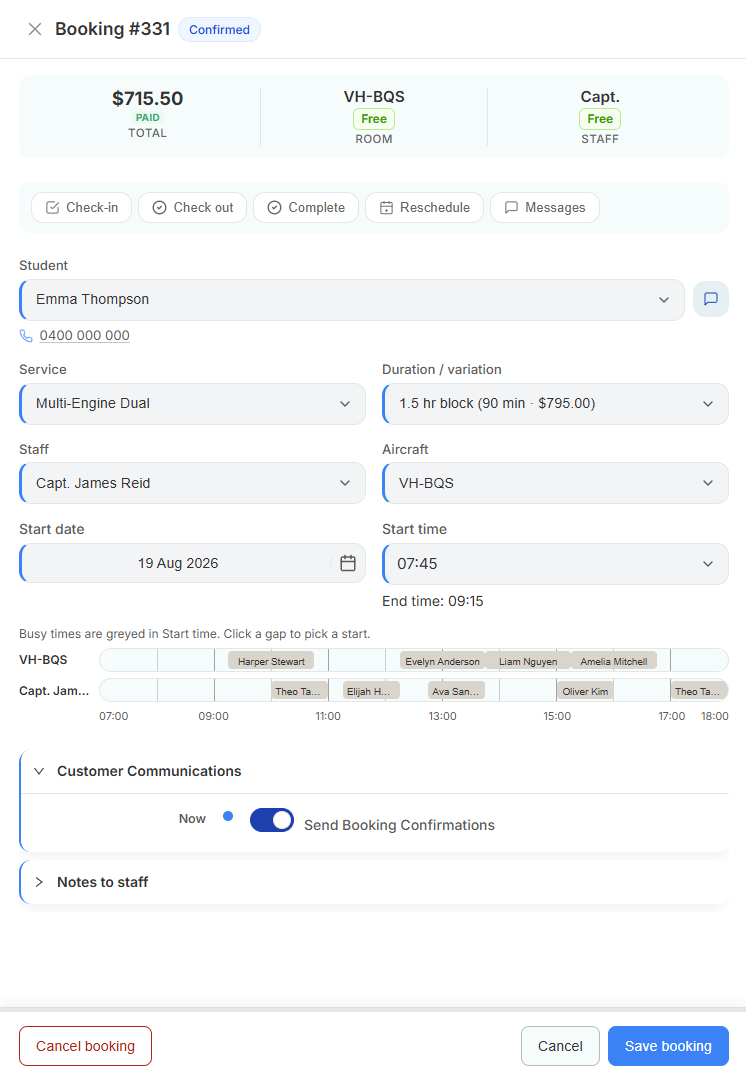
- Busy-time strips for the aircraft and the instructor shown side by side while you pick a start time
- Colour-coded lesson types so trial flights, dual, and solo hire read at a glance
- Right-click any gap to create a booking, block time, class, or event
- Business-hours-only toggle to collapse the dead space at either end of the day
- Booking confirmations sent to the student automatically when you save
How it works
-
Add your aircraft
Each airframe or simulator becomes a bookable resource with a registration, category, and ICAO type.
-
Set instructor rosters
Working hours and base locations per instructor drive availability.
-
Book from the board
Click a gap, pick the student, service, instructor, and aircraft, and save.
-
Check out after the flight
Record the flight log, grade the lesson, and settle the invoice in one drawer.
A closer look
The booking drawer shows aircraft and instructor availability on one timeline.
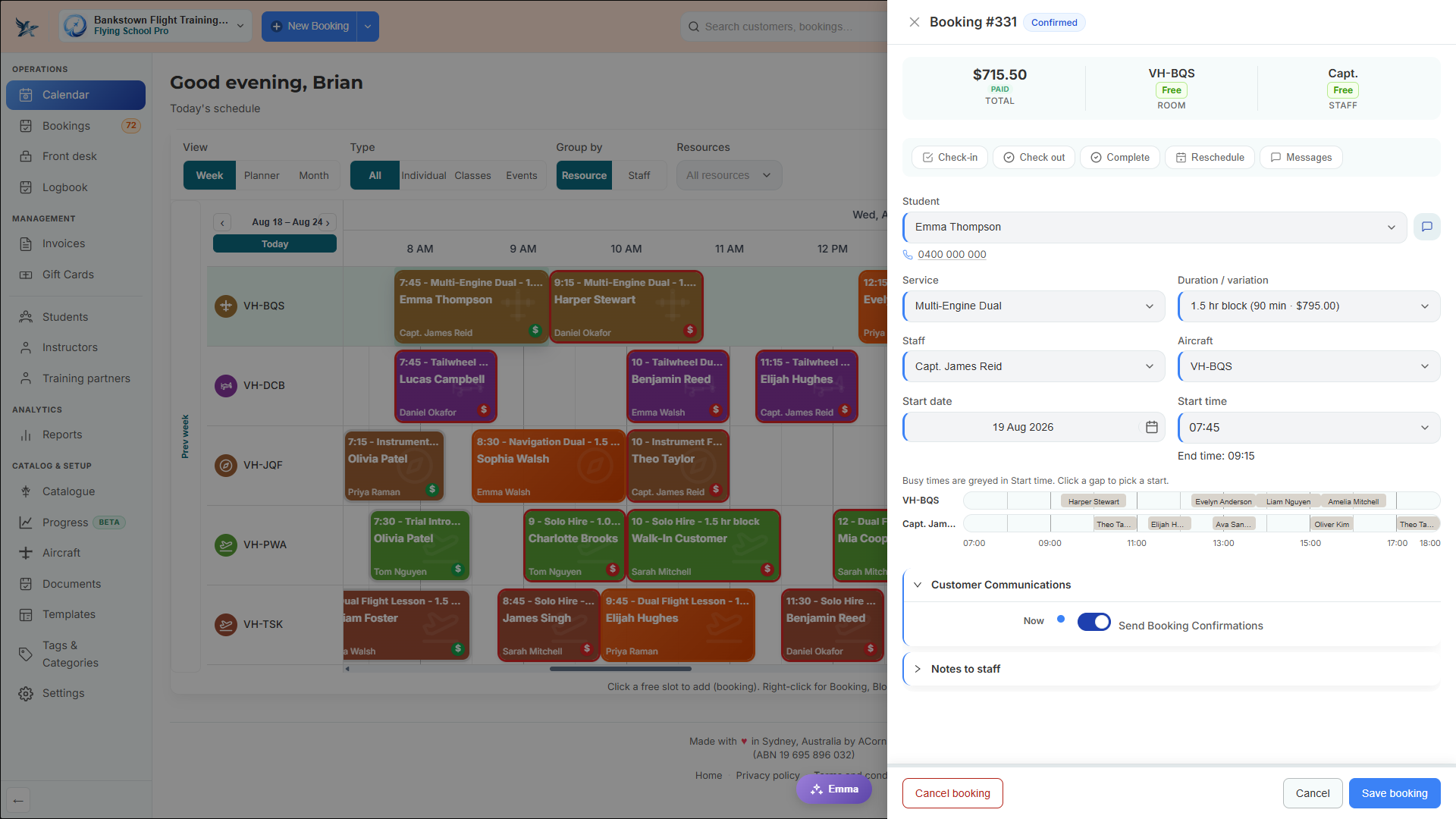
Edit a booking without losing your place on the board.
Related
Aircraft and fleet records
Registration, category, ICAO type, live Hobbs and tach, and a maintenance-due figure that blocks bookings.
Lesson and hire catalogue
Dual, solo hire, trial flights, and ratings priced by block length with the aircraft type they need.
Instructor rosters and ratings
Working hours, base locations, ratings from approved documents, and each instructor's own dashboard.
See it with your own aircraft and syllabus
Start a free trial and your CASA training programs, lesson catalogue, and aircraft are ready to go. No card required.